How Recruiters Can Detect AI Cheating in Remote Typing Tests
Voice assistants, second screens, and scripted bots are undermining remote typing assessments. Learn how keystroke analysis and behavioral monitoring catch AI-assisted cheating before it corrupts your hiring pipeline.
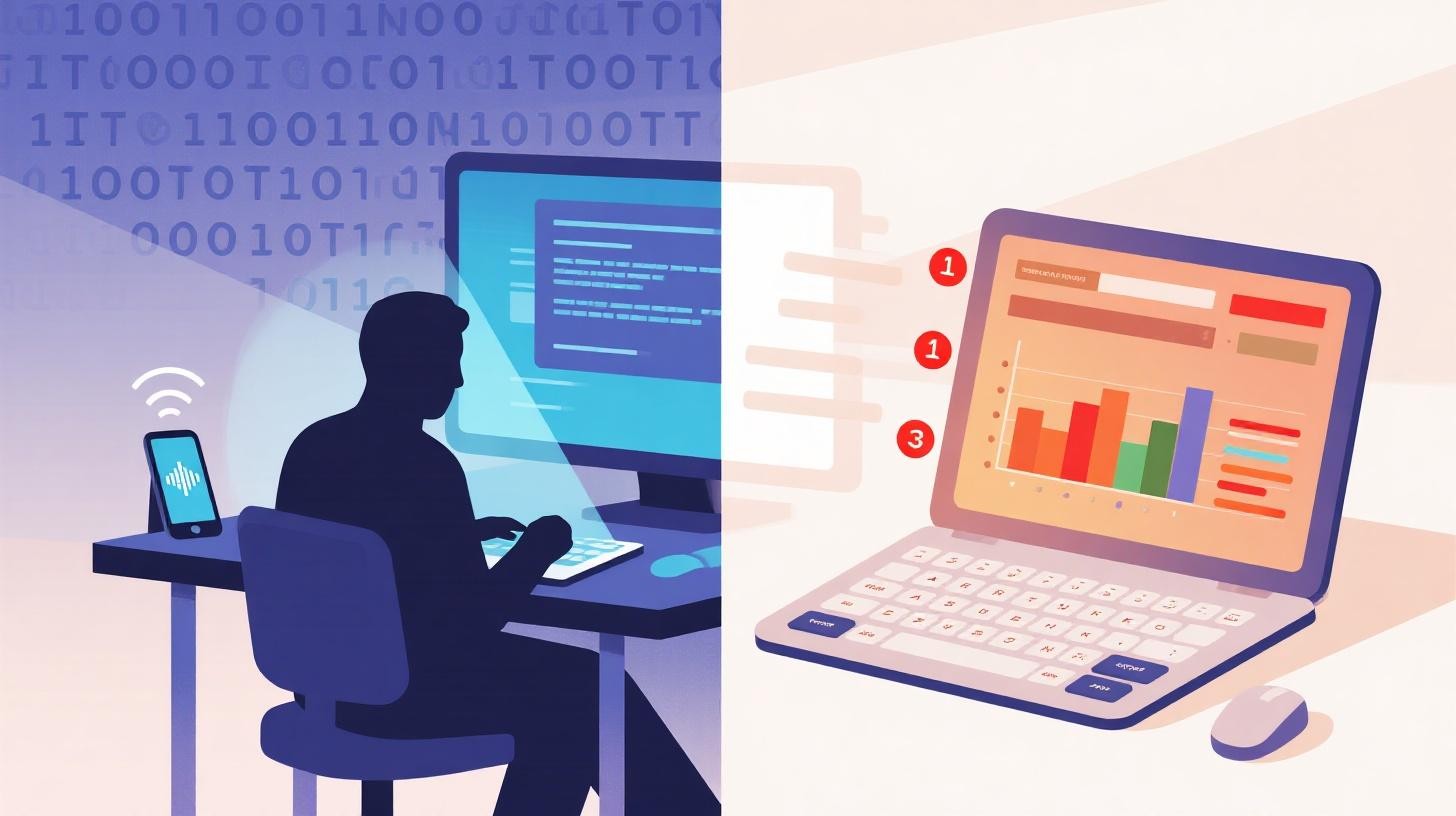
A candidate submits a typing test with 98 WPM and 99.2% accuracy. Impressive, right? But when you look closer, every keystroke lands at perfectly uniform intervals. There are zero backspaces. The rhythm never wavers, not even once, across a full five-minute session. No human types like that. Something is off, and if your hiring process can't flag it, you're making decisions based on fabricated data.
AI-powered cheating tools have moved well beyond simple copy-paste tricks. Candidates now have access to voice-to-text assistants that transcribe speech in real time, browser extensions that auto-type from a second screen, and scripted bots that simulate keystroke events directly in the DOM. The online exam proctoring market is projected to reach $2.35 billion by 2031, growing at 15.5% CAGR, and that growth is driven by a simple reality: cheating technology is evolving faster than most assessment platforms can keep up.
For recruiters and hiring managers who rely on typing assessments to screen candidates for data entry, customer service, legal transcription, or medical coding roles, this isn't a theoretical problem. It's happening now, and it directly undermines your ability to identify genuinely skilled candidates. The good news? With the right detection strategies and a platform built for integrity, you can catch these tactics before they corrupt your pipeline.
If you're ready to start sending secure, monitored typing assessments right away, you can sign up for TypeFlow and create your first test in minutes. But first, let's break down exactly how these cheating methods work and what you can do about each one.
Voice Assistants and Speech-to-Text Exploits Are the New Clipboard
The clipboard used to be the primary cheating vector. A candidate would copy text, paste it into the test field, and hope the platform didn't notice. Most modern platforms now block or detect paste events (TypeFlow's approach to this is detailed in their deep dive on copy-paste detection). But blocking the clipboard just pushed cheaters toward a more sophisticated tool: their voice.
Here's how it works. A candidate opens a voice assistant like Siri, Google Assistant, or a dedicated dictation app on a secondary device, often a phone sitting just out of webcam range. They read the test prompt aloud, and the speech-to-text engine transcribes it in real time. Some setups pipe the transcribed text directly into the browser via accessibility APIs or clipboard injection tools that bypass standard paste detection. Others use a second screen where the candidate reads the transcription and types it with the benefit of having the text pre-processed and error-corrected.
This method is deceptively effective because the candidate is technically typing. Keystrokes are real. But the behavioral signature is wrong.
What Voice-Assisted Typing Looks Like in the Data
When someone types from dictated text, several patterns emerge that don't match natural typing behavior:
Unusually low error rates combined with moderate speed. Most typists at 60-80 WPM make errors and correct them. Voice-assisted typists often produce near-perfect text because they're copying pre-corrected output.
Periodic pauses followed by rapid bursts. The candidate waits for the dictation to catch up, then types a phrase quickly. This creates a "staircase" pattern in keystroke timing, flat periods of inactivity punctuated by concentrated bursts.
Minimal use of backspace or delete keys. Natural typing involves constant self-correction. A backspace rate below 2% at speeds above 50 WPM is a significant red flag.
Consistent inter-key intervals within bursts. When typing from a visible transcription, people tend to maintain unusually steady rhythm because they're reading and copying rather than composing.
TypeFlow's security monitoring captures these keystroke dynamics and flags suspicious patterns. The platform tracks not just what candidates type, but how they type: the rhythm, the corrections, the pauses, and the variance. When a violation report shows a candidate with a 0.8% backspace rate, perfectly uniform burst timing, and three focus-loss events (suggesting they were switching to a dictation app), you have a clear, data-backed reason to question the result.
For recruiters, the actionable step here is straightforward: don't rely on WPM and accuracy alone. Always review the keystroke analysis and violation reports that come with each candidate's results. A score that looks great on the surface may tell a very different story in the details.
Second Screens and Tab Switching: The Low-Tech Cheats That Still Work
Not every cheating attempt involves sophisticated AI. Some of the most common tactics are embarrassingly simple, and they work because many assessment platforms don't monitor what happens outside the test window.
The second-screen cheat is exactly what it sounds like. A candidate has the test open on one monitor and the answer text (or a typing assistance tool) on another. They glance between screens and type what they see. Variations include having a friend type the answers on a shared document, using a phone propped up next to the keyboard, or opening a browser tab with the test passage pre-loaded so they can reference it while typing.
Tab switching is even simpler. The candidate opens a new tab, pastes the prompt into a grammar tool or AI writing assistant, gets a cleaned-up version, switches back, and types from memory or copies fragments.
These methods don't require any technical skill. They require only that the platform isn't watching.
How Monitoring Catches What Proctoring Misses
Traditional remote proctoring, with webcams and screen recording, creates friction and raises privacy concerns. Many candidates find it intrusive, and research on online proctoring ethics highlights the tension between surveillance and candidate experience. The better approach is behavioral monitoring that detects the consequences of cheating without recording the candidate's face or screen.
TypeFlow tracks several signals that catch second-screen and tab-switching cheats:
Tab switch detection. Every time the browser loses focus, the platform logs it. One tab switch might be accidental. Five or more during a three-minute test is a pattern.
Focus loss events. If the candidate clicks outside the test window, even to a second monitor, the event is recorded with a timestamp.
Paste attempt logging. Even if paste is blocked, the attempt itself is captured. Repeated paste attempts signal that the candidate is trying to inject external text.
Typing rhythm disruption after focus loss. When a candidate switches away and comes back, their typing speed and accuracy often shift abruptly. A sudden jump from 45 WPM to 75 WPM immediately after a focus-loss event is a strong indicator.
The violation report for each candidate aggregates all of these signals into a single view. You don't need to guess. You can see that a candidate switched tabs four times, attempted to paste twice, and showed a 30 WPM speed increase after their third tab switch. That's not a borderline case. That's a clear integrity failure.
For organizations evaluating security features across different plan levels, TypeFlow's pricing page breaks down which monitoring capabilities are included at each tier, from basic paste detection on the Free plan to full violation reporting and keystroke analysis on Professional and Enterprise.
Scripted Bots and DOM Injection: The Hardest Cheats to Catch
This is where things get technical, and where many assessment platforms fall short entirely.
A scripted bot doesn't type. It simulates typing by dispatching keyboard events directly into the browser's Document Object Model. The candidate loads a JavaScript snippet (often a browser extension or a script pasted into the developer console) that reads the test prompt from the page, then fires keydown, keypress, and keyup events at timed intervals. To the platform, it looks like someone is typing. But no human hands are touching the keyboard.
More advanced bots add randomization to their timing to mimic human rhythm. They introduce occasional "errors" and corrections. Some even simulate realistic acceleration and deceleration patterns based on published typing research. These bots are available as open-source tools, browser extensions, and even paid services marketed specifically for beating online assessments.
The Telltale Signs of Bot-Generated Keystrokes
Even sophisticated bots leave fingerprints that behavioral analysis can detect:
Event timing precision. Human keystroke intervals follow a roughly normal distribution with significant variance. Bot-generated intervals, even "randomized" ones, tend to cluster too tightly around their target values. The standard deviation is too low.
Missing ancillary events. Real typing generates mouse movements (even micro-movements), scroll events, and occasional modifier key presses. Bots that only dispatch character events leave an unnaturally clean event stream.
Impossible consistency across sessions. If you allow multiple attempts on a test, a human's performance varies between attempts. Bots produce nearly identical timing profiles each time.
Character-level timing anomalies. Humans type common letter combinations (like "th", "er", "ing") faster than uncommon ones (like "xq" or "zj"). Bots that use uniform randomization don't reproduce these natural digraph timing patterns.
Zero hesitation on difficult words. When a human encounters an unfamiliar or complex word in the test passage, they slow down. Bots process every word at the same algorithmic pace.
TypeFlow's keystroke analysis captures the granular timing data needed to identify these patterns. The platform logs individual key events with millisecond precision, enabling analysis of inter-key intervals, digraph timing, error correction behavior, and event stream completeness. When a candidate's typing profile shows statistically impossible consistency, the violation report flags it.
Here's a practical scenario. You're hiring for a legal transcription role and send a test with specialized legal terminology. A legitimate 85 WPM typist will slow down on words like "indemnification" or "subrogation" and speed through common words like "the" and "and." A bot types "indemnification" at the same pace as "the." That single data point, combined with low keystroke variance and missing ancillary events, gives you a confident basis for flagging the result.
The key takeaway for recruiters: if your assessment platform only records final WPM and accuracy, you're blind to bot cheating. You need keystroke-level analytics. Period.
Building a Cheating-Resistant Hiring Process Without Creating a Hostile Experience
Detection is only half the equation. The other half is implementing security in a way that doesn't alienate honest candidates. If your typing test feels like a surveillance state, your best applicants will drop out before they finish.
This is the balance every recruiter needs to strike: enough monitoring to catch cheaters, enough trust to keep legitimate candidates comfortable. Here's how to do it practically.
Set clear expectations upfront. Tell candidates before they start that the test monitors tab switches, paste attempts, and typing patterns. Honest candidates won't care. Cheaters will think twice. Transparency alone is a powerful deterrent.
Use multiple data points, not single flags. A single tab switch isn't cheating. It might be a notification popup or an accidental click. Build your evaluation around patterns: a tab switch plus a sudden speed increase plus zero backspaces is meaningful. A tab switch alone is not.
Configure tests with appropriate attempt limits. Allowing unlimited retakes invites trial-and-error cheating. Setting one to three attempts (configurable in TypeFlow) gives honest candidates a fair shot while limiting a cheater's ability to refine their approach.
Review violation reports before making decisions. Don't auto-reject based on flags. Look at the full picture. TypeFlow's candidate results view gives you WPM, accuracy, keystroke analysis, and the complete violation report in one place. Make informed decisions, not algorithmic ones.
Choose the right plan for your security needs. If you're hiring for a handful of roles, basic monitoring may suffice. If you're screening hundreds of candidates for high-stakes positions, you'll want the full suite of violation reports, keystroke analysis, and bulk management tools. TypeFlow's plan comparison helps you match security features to your hiring volume.
For a deeper look at how to design tests that balance security with candidate experience, TypeFlow's guide on building low-friction typing tests without sacrificing security walks through the design principles step by step.
The bottom line: cheating technology will keep evolving. Voice assistants will get faster. Bots will get smarter. Second-screen setups will get more creative. But the behavioral signatures of cheating, the unnatural rhythm, the missing corrections, the impossible consistency, remain detectable if you're looking for them.
Stop making hiring decisions based on numbers that might be fake. Sign up for TypeFlow, create a test with built-in integrity monitoring, and start seeing the real story behind every candidate's score.
Recommended Reading
How to Prepare for an Employment Typing Test and Pass
Got an employment typing test coming up? Learn exactly what WPM and accuracy benchmarks employers expect, how to practice effectively, and proven test day strategies to pass with confidence.
Skills-Based Hiring Playbook Using Typing Tests as Proof of Ability
Replace degree requirements with objective typing assessments. This playbook shows business leaders how to implement skills-based hiring with measurable benchmarks and data-driven decisions.
Copy Paste Detection for Secure Remote Typing Tests
Copy/paste is only one clue. Learn a practical integrity model for remote typing tests using tab switches, focus loss, typing rhythm, and clear thresholds.
10 Key Typing Tests for Hiring With Job Ready KPH
Learn how to set job-ready KPH targets, pick numbers-only vs decimals/operators, and build pass criteria that predicts real data-entry output.