How to Run 10-Key Data Entry Tests for Hiring
Hiring for accounting, finance, or medical billing? Learn how to build 10-key numeric data entry tests with industry KPH benchmarks, accuracy thresholds, and anti-cheating safeguards.
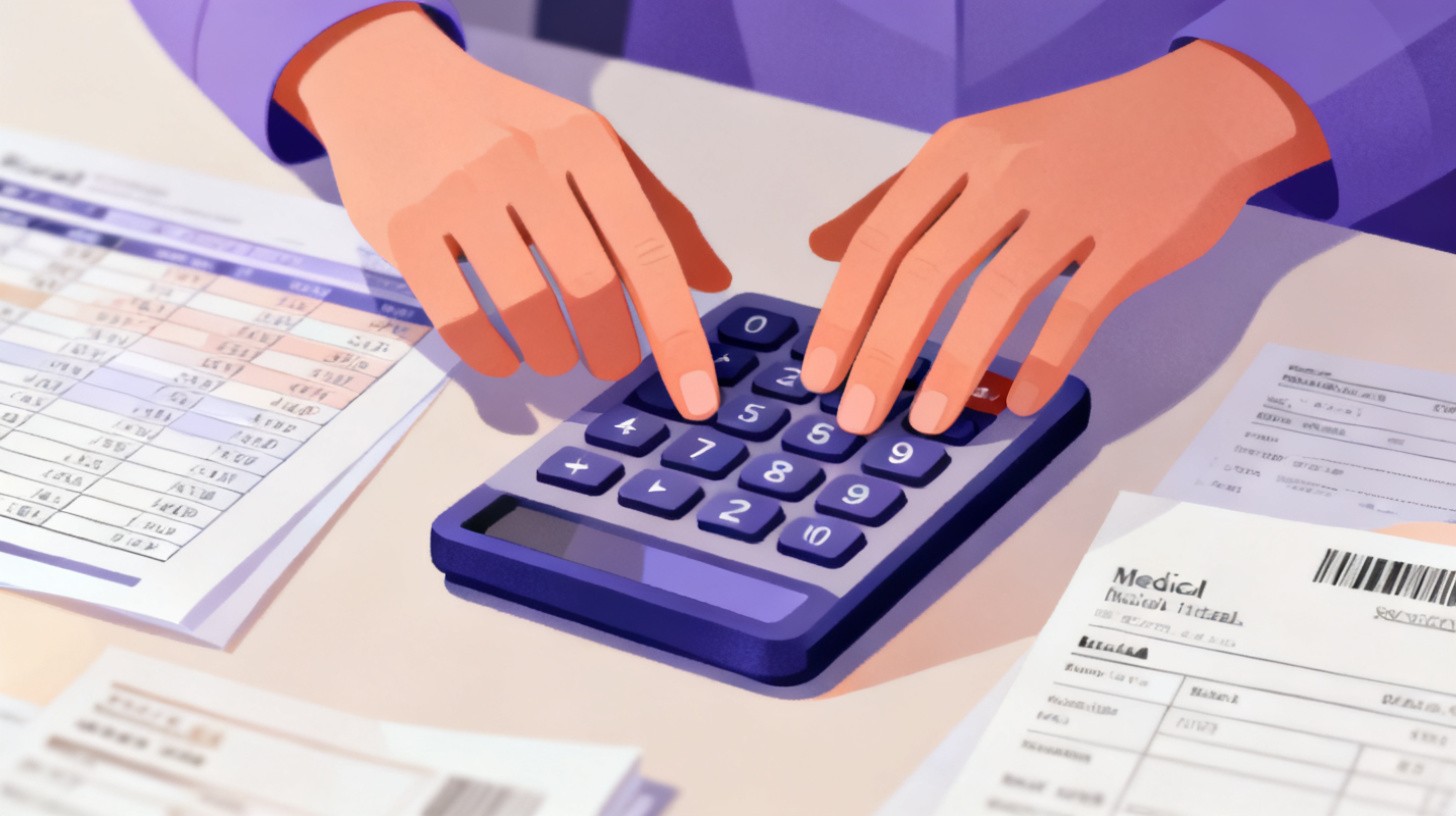
A single miskeyed digit on an insurance claim can trigger a denial. One transposed number on a financial ledger can cascade into hours of reconciliation. And a wrong patient ID in a medical billing system? That's a compliance nightmare no one wants to explain.
For roles in accounting, finance, and medical billing, numeric data entry accuracy isn't a nice-to-have. It's the core skill that separates a productive hire from a costly mistake. Yet many hiring teams still screen candidates with general typing tests that measure words per minute on paragraph-style text. That approach completely misses the point. These roles don't require fast prose typing. They require fast, accurate entry of numbers, decimals, dates, and codes using a numeric keypad.
That's where the 10-key data entry test comes in. It measures keystrokes per hour (KPH) on numeric content, giving you a direct window into how a candidate will actually perform on the job. If you're hiring for any position that involves entering numbers into spreadsheets, EHR systems, accounting software, or billing platforms, this guide will walk you through setting up the right test, choosing defensible benchmarks, and avoiding common pitfalls that lead to bad hires.
Ready to start building your own numeric data entry assessments? TypeFlow's plans let you create custom tests with configurable pass criteria, duration settings, and candidate tracking, so you can move from guesswork to data-driven hiring today.
Why Standard Typing Tests Fail for Numeric-Heavy Roles
Most pre-employment typing tests present candidates with sentences or paragraphs and measure how many words they can type per minute. This is perfectly valid for roles like customer service, transcription, or administrative support where prose typing dominates the workday. But accounting clerks, billing specialists, and financial analysts spend the bulk of their screen time punching in numbers, not writing emails.
The disconnect is significant. A candidate who types 65 WPM on prose might fumble badly on a numeric keypad because the motor skills are completely different. Prose typing engages all ten fingers across the full QWERTY keyboard with patterns built from familiar words. Numeric keypad entry uses three or four fingers on a compact grid, with patterns built from random number sequences, decimal points, and tab keys. Someone who never learned to touch-type on the number pad will hunt and peck their way through invoice after invoice, dragging productivity down.
The KPH Metric Matters More Than WPM
Keystrokes per hour (KPH) is the standard metric for 10-key proficiency, and it captures exactly what you need to know: how many individual key presses a candidate can execute on numeric content in a sustained period. According to the U.S. Bureau of Labor Statistics, data entry keyers represent a distinct occupational category precisely because their skill set differs from general office support. Hiring for these roles demands a metric that matches the actual work.
Here's a rough translation to help you think about the relationship between WPM and KPH. If you'd like a deeper dive into metric conversions and how to set defensible thresholds, check out this guide to WPM, KPH, and CPM metrics.
Skill Level | KPH Range | Approximate WPM Equivalent | Typical Roles |
Entry-Level | 6,000–8,000 | ~20–27 WPM (numeric) | Junior data entry, filing clerks |
Competent | 8,000–10,000 | ~27–33 WPM (numeric) | Accounts payable, medical coders |
Proficient | 10,000–12,000 | ~33–40 WPM (numeric) | Senior billing, financial analysts |
Expert | 12,000+ | 40+ WPM (numeric) | High-volume processing, 10-key specialists |
Using WPM benchmarks from a prose test to evaluate a 10-key candidate is like judging a pianist's skill by asking them to play guitar. The instruments are different. The muscle memory is different. The test needs to reflect that.
Industry-Specific Accuracy Demands
Speed without accuracy is worse than useless in these fields. A fast but sloppy data entry operator can introduce errors that take five times longer to find and fix than it would have taken to enter the data correctly in the first place.
Accounting and Finance: Transposed digits in journal entries, tax filings, or payroll can trigger audit flags, regulatory penalties, or direct financial loss. Most firms require 98% accuracy or higher on 10-key assessments.
Medical Billing: Incorrect CPT codes, diagnosis codes, or patient ID numbers lead to claim denials, delayed reimbursements, and potential HIPAA compliance issues. Accuracy thresholds of 98–99% are standard.
Insurance Claims Processing: A miskeyed policy number or dollar amount can misdirect payments or delay settlements, damaging client relationships and increasing operational costs.
The bottom line: your 10-key test needs to measure both speed and accuracy, and your pass criteria should weight accuracy heavily for these industries.
Building an Effective 10-Key Assessment for Your Industry
A good numeric data entry test does more than throw random numbers at a candidate and time them. It simulates the kind of data they'll actually encounter on the job, under conditions that mirror real work. Here's how to build one that gives you reliable, actionable results.
Step 1: Choose the Right Content Type
The numbers your candidates will type every day have specific patterns. Your test content should reflect those patterns.
Accounting roles: Include sequences that mimic general ledger entries, invoice amounts with decimals (e.g., 14,829.37), account codes (4-6 digit strings), and date formats (MM/DD/YYYY). Mix in negative numbers and dollar signs if your accounting software requires them.
Medical billing roles: Use strings that resemble CPT procedure codes (5-digit numeric), ICD-10 diagnosis codes (alphanumeric, but with heavy numeric components), patient ID numbers, and dollar amounts for charges and payments.
Finance and banking roles: Focus on longer number strings (account numbers, routing numbers), currency amounts with two decimal places, percentages, and date sequences.
Generic random number tests are better than nothing, but industry-tailored content gives you a much stronger signal about on-the-job performance. TypeFlow offers industry-specific templates for medical, legal, and data entry contexts that let you get started without building content from scratch.
Step 2: Set Duration and Attempt Parameters
Test duration directly affects what you're measuring. Short tests (1–2 minutes) capture burst speed but miss the sustained performance that matters for roles where someone enters data for hours at a stretch. Longer tests (5–10 minutes) better predict real-world throughput because they account for fatigue, rhythm, and consistency.
For most numeric data entry roles, a 5-minute test strikes the right balance. It's long enough to smooth out initial jitters and measure sustained performance, but short enough that candidates don't feel it's unreasonable.
Consider allowing two attempts. This reduces the impact of test anxiety (especially for candidates unfamiliar with online assessments) and lets you evaluate their best realistic performance. Use the higher score, since that better predicts what they'll deliver once they're comfortable in the role.
Step 3: Define Pass Criteria That Match the Role
This is where many hiring teams get it wrong. They either set the bar too low (accepting anyone above 5,000 KPH) or too high (demanding 12,000+ KPH for entry-level positions). Both approaches cost you good candidates or saddle you with underperformers.
Here's a framework for setting benchmarks that connect test scores to actual job performance. For deeper data on how typing benchmarks predict real-world outcomes, see this analysis of benchmarks and job performance.
For entry-level accounting clerks or junior billing specialists:
Minimum KPH: 7,000
Minimum accuracy: 97%
Rationale: These candidates will have supervision and error-checking processes. You need baseline competence, not expertise.
For experienced accounts payable/receivable or medical billing coders:
Minimum KPH: 9,000
Minimum accuracy: 98%
Rationale: These roles handle higher volumes with less oversight. Speed and precision both matter.
For senior financial analysts or high-volume processing specialists:
Minimum KPH: 11,000
Minimum accuracy: 98.5%
Rationale: These roles often involve time-sensitive reporting or batch processing where errors have amplified consequences.
Always document your benchmarks and the job-related rationale behind them. This protects you legally and ensures consistency across hiring managers.
Securing Your Test Against Cheating and Gaming
Online assessments are convenient, but they introduce opportunities for candidates to game the system. Someone could have a friend take the test, paste numbers from a document, or use auto-fill tools. For roles where you're relying on the test to verify a core job skill, test integrity is non-negotiable.
Proctoring Isn't Always Practical
In-person proctoring gives you the highest confidence, but it's often impractical for remote hiring, high-volume screening, or candidates in different time zones. That doesn't mean you have to accept unmonitored tests at face value.
Automated security monitoring fills the gap. Effective systems track several behavioral signals that indicate dishonest test-taking.
Tab switching detection flags when a candidate navigates away from the test window. There's no legitimate reason to check another browser tab during a timed data entry test. Even one tab switch is suspicious, and multiple switches strongly suggest the candidate is referencing external material.
Paste attempt detection catches candidates who try to copy and paste number sequences rather than typing them. This is one of the most common cheating methods on data entry tests, and it's trivially easy to detect when the platform monitors for it.
Focus loss monitoring records when the test window loses focus entirely, which can indicate the candidate switched to another application. Combined with tab switch data, this paints a clear picture of whether the candidate stayed on task.
Keystroke pattern analysis is the most sophisticated layer. It examines the rhythm and timing of keystrokes to identify patterns that don't match human typing. For example, perfectly uniform intervals between keystrokes (suggesting a macro or auto-type tool) or impossibly fast bursts (suggesting paste operations that bypassed the paste blocker) both trigger flags.
TypeFlow's real-time security monitoring includes all of these detection methods and compiles them into a violation report for each candidate. You can see exactly how many tab switches occurred, whether any paste attempts were made, and whether keystroke patterns fell within normal human ranges. This lets you make informed decisions about which scores to trust and which to investigate.
Combining Automated Monitoring with Smart Process Design
Security monitoring is most effective when paired with good process design. Here are practical steps that strengthen test integrity without adding friction for honest candidates.
Use expiring test links. Set an expiration date on each test invitation so candidates can't share the link or take it weeks later after extensive practice on your specific test content.
Randomize content order. If two candidates take the same test, they should encounter number sequences in different orders. This makes it much harder for candidates to share answers.
Include a brief in-person verification for finalists. After a candidate passes the online test, have them complete a short (2-minute) numeric entry task during the interview. If their in-person performance is drastically different from their online score, that's a red flag.
Review violation reports before making offers. Don't just look at the KPH score. Check the security summary. A candidate with 10,000 KPH and three tab switches is less trustworthy than a candidate with 8,500 KPH and zero violations.
The goal isn't to create a hostile testing environment. It's to ensure the scores you're basing hiring decisions on actually reflect the candidate's real abilities.
Turning Test Results into Better Hiring Decisions
Collecting 10-key test scores is only valuable if you use them effectively in your hiring pipeline. Here's how to integrate numeric data entry assessments into a process that consistently identifies strong candidates while treating everyone fairly.
First, decide where the test falls in your hiring sequence. For most data entry roles, placing the assessment early in the funnel (right after resume screening) saves the most time. There's no point conducting multiple interviews with a candidate who can't meet your minimum KPH threshold. Send the test link via email invitation as soon as a candidate passes the initial screen, and use the results to decide who advances to interviews.
Second, don't treat the test as a single pass/fail gate. Use the detailed performance metrics to inform your interviews. If a candidate scores well on speed but their accuracy dips during the last minute of the test, ask about their experience with sustained data entry and how they maintain focus during long processing sessions. If a candidate's accuracy is exceptional but their speed is slightly below your ideal threshold, consider whether they're trainable. Speed typically improves with practice. Accuracy habits are much harder to change.
Third, track your results over time to refine your benchmarks. If you set a minimum of 9,000 KPH and 98% accuracy, monitor how candidates who pass at those thresholds actually perform on the job after 30, 60, and 90 days. Are your top performers the ones who scored highest on the test? Are your underperformers clustered near the pass/fail line? This feedback loop lets you adjust your benchmarks based on real outcomes, not assumptions.
For teams hiring at scale, analytics dashboards that show pass rate distributions, average scores by candidate source, and trend data over time make this optimization much easier. If you're processing dozens or hundreds of candidates per month for billing or accounting roles, TypeFlow's plans include analytics features that surface these patterns automatically, along with bulk email invitations and CSV export for integrating results with your ATS.
Finally, keep the candidate experience in mind. Clear instructions, reasonable time limits, multiple attempts, and prompt communication of results all contribute to a positive impression of your organization. Candidates who feel the assessment was fair and professional are more likely to accept your offer, and more likely to speak well of your company even if they don't get the role. For insights on managing high-volume assessment programs efficiently, this guide to scaling typing tests covers process design principles that apply across industries.
The best hiring teams don't just test candidates. They use test data to continuously improve their own screening process, building a feedback loop between assessment scores and on-the-job performance.
Numeric data entry roles are too important to fill with guesswork. A well-designed 10-key test, built around the right content, measured with the right metrics, and protected by the right security, gives you a reliable, defensible signal about every candidate's ability to do the actual work. That's the foundation of a hiring process you can trust.
Recommended Reading
How AI Copilots Are Reshaping Typing Speed Requirements for Hiring
AI copilots and voice-to-text are changing what typing speed means for hiring. Learn how to build role-specific assessments that actually predict job performance.
Best Typing Test Platforms for Recruiters Compared
Choosing the right typing test platform for hiring? This buyer's guide gives recruiters a repeatable evaluation framework covering security, customization, analytics, and pricing.
Typing Test Requirements for Government and Civil Service Jobs
Government typing tests vary widely by role and agency. Learn the exact WPM benchmarks, test formats, security requirements, and assessment strategies for civil service hiring.
How to Build Multilingual Typing Tests That Actually Work
Standard English typing tests fall short for bilingual roles. Learn how to set fair WPM benchmarks across languages, handle keyboard layout differences, and keep multilingual assessments legally defensible.